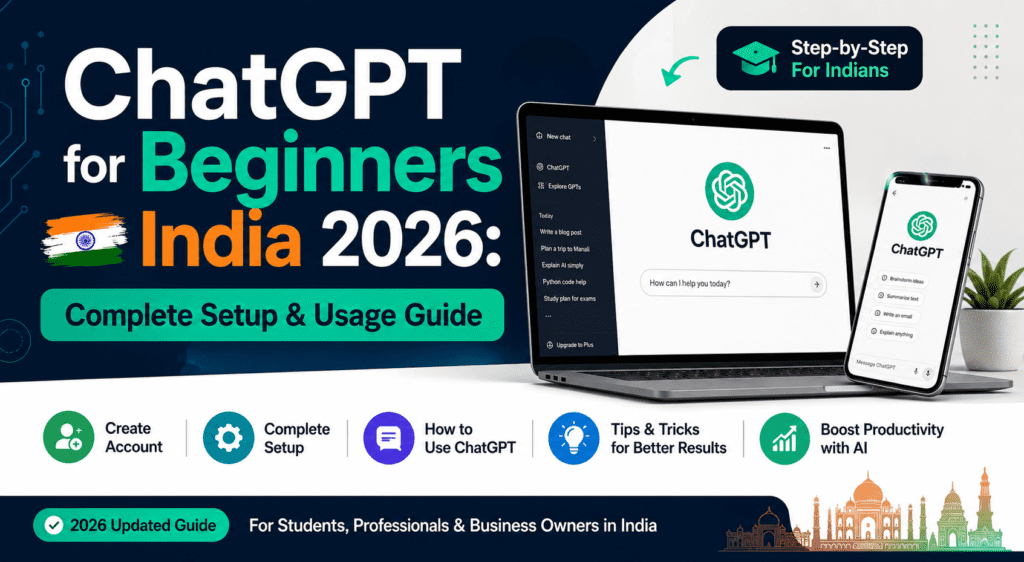
ChatGPT setup karna sirf 5 minutes ka kaam hai — chat.openai.com par jaao, Google account se sign up karo, aur free mein GPT-4o-mini unlimited use karo. Lekin effective use karna ek skill hai jo practice se aati hai. Yeh complete guide aapko beginner se confident user banayegi.
ChatGPT Kya Hai Aur India Mein Itna Popular Kyun Hai?
- 🌍 ChatGPT world ka most used AI tool hai — 180M+ active users globally
- 🇮🇳 India mein 2nd largest user base hai ChatGPT ka after USA
- 💬 Hindi, Tamil, Bengali, Marathi — all Indian languages mein kaam karta hai
- 🆓 Free tier mein GPT-4o-mini unlimited access milta hai — koi credit card nahi chahiye
- 🎯 Students se lekar professionals tak — har kisi ke kaam aata hai
Step 1: ChatGPT Account Kaise Banayein? (5 Minutes)
Method 1: Google Account Se (Sabse Easy)
- chat.openai.com browser mein open karo
- “Sign up” button click karo
- “Continue with Google” select karo
- Apna Google account choose karo
- Date of birth enter karo (18+ required)
- ✅ Done! Account ready hai
Method 2: Email Se
- chat.openai.com open karo
- “Sign up” → “Continue with email”
- Email address enter karo
- Password set karo (8+ characters)
- Email verify karo (link aayega)
- Phone number verify karo (India +91 numbers supported)
Important Note: Free account mein GPT-4o-mini unlimited milta hai. GPT-4o ke daily limited messages free tier mein milte hain — most tasks ke liye kaafi hai!
Step 2: ChatGPT Interface Ko Samjhein
ChatGPT ka interface simple hai lekin kuch important elements hain:
| Interface Element | Kya Karta Hai |
|---|---|
| Left Sidebar | Purani conversations — history saved rehti hai |
| New Chat Button | Fresh conversation shuru karo |
| Message Box (Bottom) | Yahan prompt type karo |
| Model Selector (Top) | GPT-4o-mini ya GPT-4o choose karo |
| Attach Button | Images, PDFs, files upload karo |
| Voice Button | Bolo, type mat karo (mobile app mein best) |
| Settings (Top Right) | Account settings, preferences |
Step 3: Free vs Plus vs Pro — Kaunsa Plan Lein?
| Plan | Monthly Price | Key Features | Kaun Le? |
|---|---|---|---|
| Free | ₹0 | GPT-4o-mini unlimited, limited GPT-4o | Beginners, students |
| Plus | ~₹1,700/month | GPT-4o unlimited, DALL-E image gen, faster | Regular users, professionals |
| Pro | ~₹17,000/month | Everything unlimited, o1 Pro model | Heavy users, developers |
| Team | ~₹2,500/user/month | Business features, admin controls | Companies |
Recommendation: Free plan se shuru karo. Jab daily limits regularly hit hone lagein tab Plus sochna.
Step 4: Custom Instructions Set Karein — Game Changer!
Custom Instructions ek powerful feature hai jo ChatGPT ko aapke baare mein hamesha yaad rakhne deta hai — har baar explain nahi karna padta.
Kaise set karein:
Settings → Personalization → Custom Instructions
Example Custom Instructions jo India ke users ke liye best hain:
“What should ChatGPT know about you?”
Main ek [profession] hoon jo [city] mein rehta/rehti hoon. Mujhe AI aur technology mein interest hai. Main mainly Hindi-English mix (Hinglish) mein baat karna prefer karta/karti hoon. Mera background [engineering/commerce/arts] hai.“How should ChatGPT respond?”
Mujhe simple, clear language mein samjhao — unnecessary jargon avoid karo. Examples hamesha Indian context se do (India ke companies, cities, situations). Responses concise rakho jab tak main detailed explanation na maangoon. Tables aur bullet points use karo jab content complex ho.Step 5: ChatGPT Memory Feature — Conversations Ke Paas Kyun Jaati Hai Information?
ChatGPT ab Memory feature offer karta hai jisme woh aapke baare mein important information yaad rakhta hai across different conversations.
Memory On/Off karna:
Settings → Personalization → Memory → Toggle
Privacy tip: Agar aap sensitive conversations karna chahte ho, Settings → Personalization → Temporary Chat enable karo — yeh conversation save nahi hoti aur memory update nahi hoti.
Step 6: Pehle 10 Prompts Jinse Aapko Shuru Karna Chahiye
Study Ke Liye:
- “Mujhe [topic] explain karo jaise main 10th class ka student hoon — simple Hindi mein, ek real-life example ke saath”
- “[Subject] ke chapter [X] ke 10 most important questions banao jo exam mein aa sakte hain”
- “Yeh concept samajhne ke liye mujhe step-by-step roadmap do: [topic]”
Work Ke Liye:
- “Yeh email professional aur polite banao, tone formal rakho: [paste your draft]”
- “Mujhe [product/service] ke liye 5 unique marketing ideas do jo Indian market ke liye relevant hon”
- “Yeh report ka executive summary 200 words mein likho: [paste content]”
Coding Ke Liye:
- “Yeh Python code mein error kya hai aur kaise fix karein? [paste code]”
- “Mujhe [function] banana hai [language] mein — step-by-step explain karo”
Creative Ke Liye:
- “Instagram ke liye 5 caption ideas do [product/topic] ke liye — Hindi-English mix, catchy aur engaging”
- “Mera resume improve karo is job ke liye — [paste resume] aur [paste job description]”
Beginners Ki Common Mistakes Aur Unse Kaise Bachein
❌ Mistake 1: Vague Prompts Dena
Wrong: “Marketing ke baare mein batao”
Right: “Digital marketing mein Facebook Ads vs Google Ads mein kya fark hai? India ke small business ke liye kaunsa better hai aur kyun? 5 points mein batao”
❌ Mistake 2: Facts Blindly Trust Karna
ChatGPT kabhi kabhi hallucinate karta hai — galat facts, fake citations, aur outdated information de sakta hai. Important facts hamesha verify karo independent sources se.
❌ Mistake 3: Ek Hi Chat Mein Sab Topics Mix Karna
Ek naya topic = naya chat. Isse ChatGPT ka context clean rehta hai aur better responses milte hain.
❌ Mistake 4: Pehle Answer Se Satisfied Ho Jaana
Agar response achha nahi laga toh:
- “Isko aur detail mein explain karo”
- “Different approach se samjhao”
- “Iska ek practical example do”
- “Simple karo — bahut technical ho gaya”
❌ Mistake 5: Free Limits Se Frustrated Hona
GPT-4o ki daily limit hit hone par GPT-4o-mini switch karo — 90% tasks ke liye equally good hai!
ChatGPT India-Specific Use Cases
Students Ke Liye:
- UPSC current affairs discuss karo aur analyze karo
- JEE/NEET concepts Hindi mein explain karwao
- Scholarship application essays improve karo
- College projects ke liye research outline banwao
Professionals Ke Liye:
- Client proposals draft karo
- Meeting notes summarize karo
- Excel formulas explain karwao
- LinkedIn posts likho
Entrepreneurs Ke Liye:
- Business plan outline banwao
- GST, legal queries samjho (disclaimer: professional advice ke liye CA/lawyer consult karo)
- Product descriptions likhwao
- Social media strategy banwao
Privacy aur Safety Tips
- 🔒 Sensitive information share mat karo — Aadhaar number, bank details, passwords kabhi nahi
- 📊 Business confidential data ChatGPT mein paste mat karo — Enterprise plan use karo agar business ke liye
- 👁️ “Improve the model” setting off karo agar privacy concern hai: Settings → Data Controls → Improve the model for everyone → Off
- 💾 Chat history delete karo sensitive conversations ke baad: Settings → Data Controls → Delete all chats
Key Takeaways
- 🆓 Free plan most users ke liye sufficient hai — GPT-4o-mini unlimited milta hai
- ⚙️ Custom Instructions set karo — yeh single feature ChatGPT experience 10x better karta hai
- 🎯 Specific prompts dene se dramatically better results milte hain
- ✅ Facts verify karo hamesha — AI tools powerful hain lekin infallible nahi
- 🚀 ChatGPT sirf starting point hai — advanced AI skills ke liye Generative AI Course explore karo
Frequently Asked Questions (FAQs)
1. Kya ChatGPT India mein legal hai?
Haan, ChatGPT India mein completely legal hai aur widely used hai — students, professionals, aur businesses sab use karte hain. OpenAI India mein officially available hai aur Indian payment methods bhi accept karta hai.
2. ChatGPT free mein kitna use kar sakte hain?
Free tier mein GPT-4o-mini unlimited use karo — koi limit nahi. GPT-4o ke limited messages daily milte hain (exact limit vary karti hai). Zyada zaroori ho toh Plus plan ₹1,700/month mein upgrade karo.
3. Kya ChatGPT Hindi mein sahi se kaam karta hai?
Haan! ChatGPT Hindi, Hinglish (Hindi-English mix), aur sab major Indian languages mein fluently respond karta hai. Hindi mein poochho, Hindi mein answer milega. Regional languages — Tamil, Telugu, Bengali, Marathi — bhi supported hain.
4. ChatGPT aur Google Gemini mein kya fark hai?
ChatGPT GPT-4o model use karta hai jo creative writing aur coding mein excellent hai. Google Gemini real-time Google Search se connected hai — latest information ke liye better. Dono free hain. Smart users dono use karte hain — different tasks ke liye.
5. Kya main ChatGPT se paisa kama sakta hoon?
Haan! Prompt engineering, AI content creation, AI-powered businesses — bahut saare ways hain. Lekin pehle properly seekhna padega. Prompt Engineering Course aur AI Automation Course se structured skills seekho.
6. Student account aur regular account mein kya fark hai?
ChatGPT ka koi separate student plan nahi hai — sab ke liye same free/Plus/Pro plans hain. Students ke liye GitHub Student Pack se GitHub Copilot free milta hai jo coding ke liye better hai. ChatGPT ka free plan students ke liye kaafi hai.
Aage Ka Kadam
ChatGPT sirf ek tool hai — AI ki poori duniya bahut badi hai. Agar aap seriously AI career banana chahte ho:
- 🤖 Generative AI Course — ChatGPT, Claude, Gemini sab master karo
- ✍️ Prompt Engineering — AI se best results consistently lena seekho
- ⚙️ AI Automation & Agents — Repetitive work automate karo
- 📊 Machine Learning — AI ke andar kaise kaam karta hai samjho
Aaj hi shuru karo — ChatGPT free account banao aur pehla prompt try karo!